Руководство по автоматизации выставления счетов (и как наконец получать оплату вовремя)
Расскажу о худшей пятнице в моей фриланс-карьере. Я заканчивал большой проект и уже предвкушал, как выставлю счёт клиенту и отпраздную. А потом обнаружил, что у меня ещё три счёта от прошлых недель, о которых я совершенно забыл напомнить. Более 4 000 $ просто висели в воздухе, неоплаченные, потому что я был слишком занят основной работой, чтобы заниматься платежами.
Знакомо? Вы не одиноки. По последним данным, более 50% глобальных B2B-счетов были оплачены с просрочкой в 2024 году. А вот ещё: владельцы малого бизнеса тратят в среднем 120 рабочих часов в год только на административные задачи, связанные с выставлением счетов. Это три полных рабочих недели в году — впустую.
Но вот что изменило всё: я перестал относиться к выставлению счетов как к ручной задаче и начал относиться к нему как к системе.
Почему ручное выставление счетов обходится дороже, чем вы думаете
До автоматизации я думал, что работаю эффективно. Создать счёт в Word, сохранить как PDF, прикрепить к письму, отправить. Просто, правда?
Как бы не так. Я допускал ошибки, забывал о напоминаниях и — что хуже всего — понятия не имел, какие клиенты систематически задерживают оплату, потому что ничего не отслеживал.
Цифры говорят сами за себя: 86% малых и средних предприятий до сих пор обрабатывают счета вручную, и почти 40% из них содержат ошибки. Каждая ошибка — это переписка, задержки оплаты и иногда потеря денег.
Вот чего на самом деле стоит ручное выставление счетов:
- 15-30 $ за счёт на обработку и трудозатраты
- Более 14 дней в среднем на обработку каждого счёта вручную
- Бесчисленные часы на погоню за просрочками (малый и средний бизнес тратит на это около 14 часов в неделю)
При автоматизации средняя стоимость снижается до 1-5 $ за счёт. Это не мелочь — это разница между устойчивым бизнесом и профессиональным выгоранием.
Что на самом деле означает «автоматизация счетов»
Когда я впервые услышал об автоматизации счетов, я представил себе роботов, которые захватывают мою бухгалтерию. Реальность гораздо проще — и, честно говоря, довольно скучна. И это хорошо.
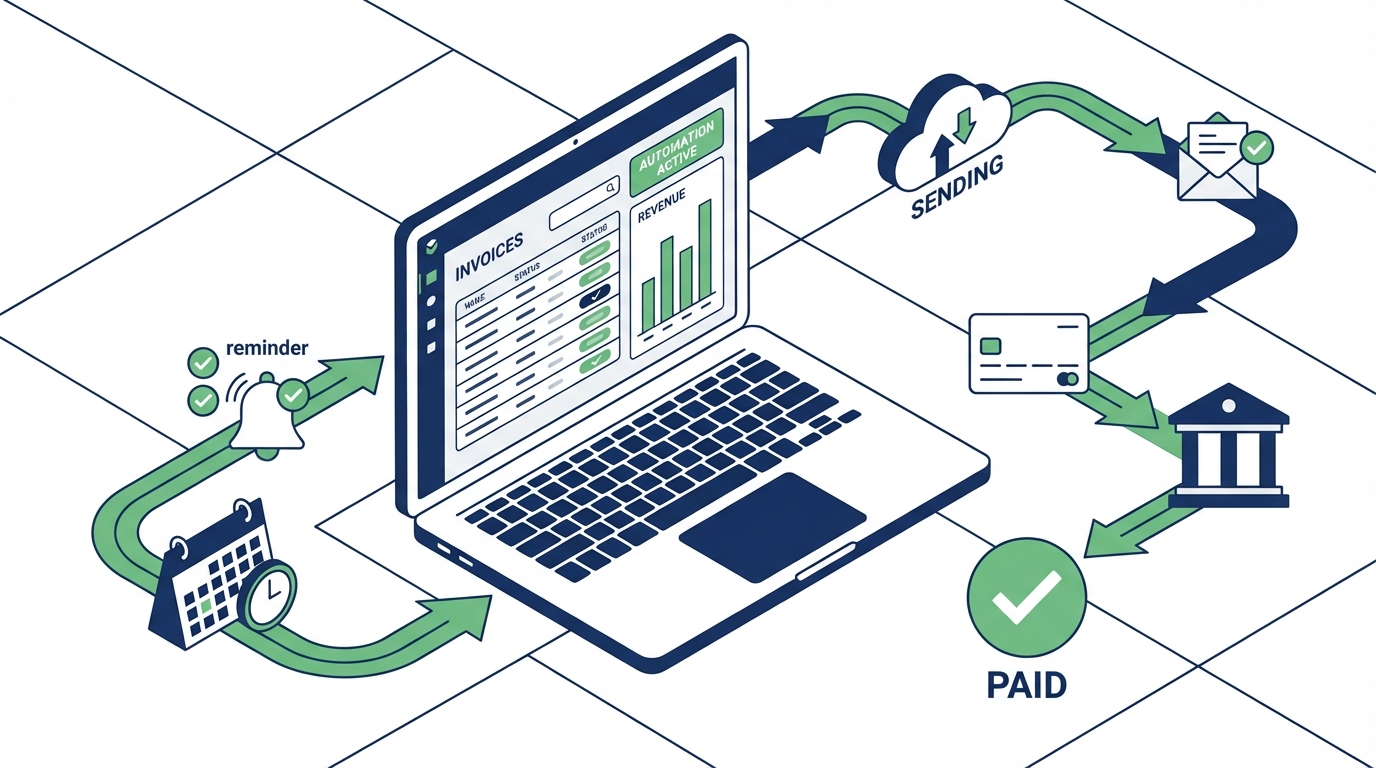
Автоматизация счетов означает настройку систем, которые берут на себя рутину:
1. Создание на основе шаблонов
Вместо форматирования каждого счёта с нуля вы используете шаблоны, которые автоматически подставляют данные клиента, ваши ставки и условия. Один клик — и готово.
2. Автоматические напоминания
Больше никаких пометок в календаре «напомнить о счёте №127». Система сама отправляет вежливые напоминания через заданные интервалы — например, на 3-й, 7-й и 14-й день после срока оплаты.
3. Регулярные счета
Работаете с клиентом на ретейнере? Настройте один раз — и забудьте. Счёт будет отправляться автоматически в один и тот же день каждого месяца.
4. Отслеживание оплат
Видите статус каждого счёта одним взглядом: оплачен, ожидает оплаты или просрочен. Никаких таблиц, никаких догадок.
С чего начать: практические шаги
Итак, перейдём к делу. Вот как я настроил автоматизацию счетов за выходные:
Шаг 1: Проведите аудит текущего процесса
Прежде чем что-то менять, мне нужно было понять, с чем я имею дело. Я потратил час, чтобы собрать:
- Все неоплаченные счета (их оказалось больше, чем я думал)
- Мои стандартные условия оплаты
- Какие клиенты обычно задерживают оплату
- Какую информацию я включаю в счета
Этот аудит выявил закономерности, которых я раньше не замечал. Два клиента систематически задерживали оплату на 30+ дней. Один клиент всегда платил в течение 48 часов. Эта информация стала ключевой для настройки моей системы.
Шаг 2: Выберите инструмент
Инструментов для выставления счетов множество. Ключевые функции, которые вам нужны:
- Автоматическая нумерация счетов
- Автоматизация напоминаний об оплате
- Поддержка нескольких способов оплаты
- Базовая отчётность (кто должен, что просрочено)
- Мобильный доступ (вам захочется проверять это на ходу)
Бесплатные инструменты, такие как InvoiceCat, обеспечивают всё это без ежемесячных платежей. Если вы платите Stripe или аналогичным платформам 2-3% с каждой транзакции плюс комиссию за выставление счетов, расходы быстро растут.
Шаг 3: Настройте шаблоны
Создайте 2-3 шаблона счетов в зависимости от типа услуг:
- Почасовая работа: часы, ставка, период
- Проектная работа: этапы или результаты
- Ретейнер: простая ежемесячная фиксированная сумма
Включите всё, что нужно клиенту для оплаты: реквизиты, принимаемые способы оплаты, чёткий срок и условия пени за просрочку (да, зафиксируйте это письменно).
Шаг 4: Настройте последовательность напоминаний
Вот где начинается магия. Моя последовательность напоминаний:
- Дата оплаты: дружеское «Счёт №X подлежит оплате сегодня»
- 3 дня просрочки: «Напоминание о счёте №X»
- 7 дней просрочки: «Уточняю по счёту №X — есть ли проблемы?»
- 14 дней просрочки: «Счёт №X просрочен на 14 дней. Пожалуйста, сообщите о статусе оплаты.»
Тон нарастает постепенно. Большинство клиентов платят после первого напоминания — они действительно забыли. Остальные обычно реагируют к 7-му дню.
Шаг 5: Выставляйте счета пакетами
Вместо отправки счетов по мере завершения работы, я выделил «время для счетов» на утро пятницы. Я просматриваю работу за неделю, создаю нужные счета и планирую их отправку. 30 минут вместо рассредоточенных часов в течение недели.
Результаты (они реальны)
Через три месяца автоматизации вот что изменилось:
- Средний срок оплаты: снизился с 23 дней до 11 дней
- Просрочки: сократились на 60%
- Время на выставление счетов: около 2 часов в месяц вместо 8+ ранее
- «Забытые» счета: ноль
И самое приятное — я перестал бояться финансовой стороны фриланса. Теперь это просто... работает.
Типичные возражения (и почему они не обоснованы)
«Клиентам не понравятся автоматические напоминания»
Я тоже так думал. Оказалось, клиенты ценят напоминания. Их бухгалтерии загружены. Дружеское напоминание помогает расставить приоритеты. Ни один клиент не жаловался.
«У меня мало счетов, чтобы оправдать автоматизацию»
Если вы отправляете больше 3-4 счетов в месяц, автоматизация экономит время. Даже при небольшом объёме одна только последовательность и отслеживание того стоят. К тому же вы формируете полезные привычки на будущее.
«Настройка кажется сложной»
Мне понадобилось около 2 часов, включая аудит. Большую часть времени я придумывал формулировки для напоминаний. Техническая настройка? Минут 20.
Что автоматизация не решит
Буду честен — автоматизация не волшебная палочка. Она не поможет, если:
- Вы занижаете цены (это другая проблема)
- У вас проблемные клиенты, которые отказываются платить (откажитесь от них)
- Ваши счета нечётко описывают работу (автоматизация не исправит размытое ТЗ)
Автоматизация берёт на себя операционную часть. Вам по-прежнему нужны хорошие клиенты, справедливые ставки и чёткие договорённости.
Начните сегодня, а не «когда-нибудь»
Вот мой вызов: потратьте 30 минут на этой неделе на базовую автоматизацию. Просто шаблон и автонумерацию. Всё.
Когда вы увидите, насколько это упрощает жизнь, вам захочется добавить напоминания. Потом регулярные счета. Потом отслеживание.
Более 17 000 $, которые в среднем задолжены малому бизнесу? Эти деньги висят в воздухе, потому что кто-то не напомнил. Пусть это будете не вы.
Ваша работа имеет ценность. Вы заслуживаете оплаты. И вы точно заслуживаете того, чтобы тратить время на отличную работу, а не на погоню за платежами.
Готовы перестать гоняться за счетами? InvoiceCat упрощает автоматизацию — бесплатные шаблоны, автоматические напоминания и отслеживание оплат, которое реально работает. Без ежемесячных платежей, без процентных комиссий. Просто получайте оплату.
Источники
- 2025 US Small Business Late Payments Report - Intuit QuickBooks (2025)
- Late Invoice Statistics 2025 - Clockify (2025)
- 59 Accounts Payable Statistics For 2025 - DocuClipper (2025)
- What is Cost of Processing an Invoice Manually in 2025? - Mysa (2025)
- Automate Invoice Processing: 6 Best Practices - ibml (2025)